Spinning up a docker container for a database is much more convenient and quicker for development than setting up a remote database or a dedicated local one. The steps are as follows:
Initialize compose file
Run services
Access the database
Secure sensitive data
Breakdown
Initialize compose file
In your project root, add the following contents to a file named docker-compose.yml
A volume is needed to persist data between container instances. Without it, the data would be wiped clean every time we shut the container down! Here, db_volume is the name of our volume
The syntax for port mapping is <host_port>:<container_port>. The host port can be customized to your liking, but the container port should be kept as is
Adminer will provide a web interface that allows us to interact with the database
Environment variables
As you may have noticed, the environment variables for our postgres container, as specified by the environment section, has the values hard-coded. Never do this for production, as these will end up in version control. See below for securing sensitive data
Run services
Once the file is set up,use the following command to run the compose file
docker-compose up
If you want to run this in the background, add the -d flag. Additionally, if your file is named something other than docker-compose.yml, use the -f flag to specify the path to the file.
docker-compose -f docker-compose.yml -d up
Access the database
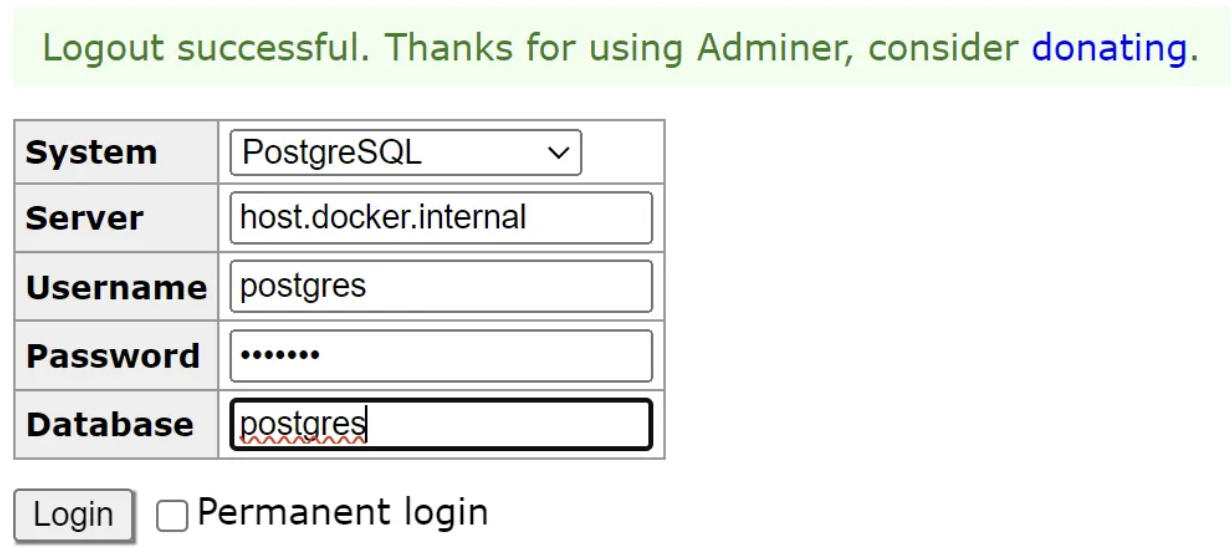
Head to http://localhost:8080 to view the Adminer web interface. Use the credentials provided in the docker compose file to log in.
Server name
host.docker.internal is used instead of db (the service name provided in docker-compose.yml).
Secure sensitive data
As mentioned above, sensitive configuration settings (e.g. POSTGRES_PASSWORD) should not be stored in in the docker-compose.yml file. To work around this, create a .env file and store the variables here.
Then, revise the docker-compose.yml file to reference these variables. Compose will automatically check for a .env file to populate its environment variables when running the service.
If you want to set a default environment variable, you can do it like so:
ports:
	- '${ADMINER_PORT:-8080}:8080'
Here, the default value for the host port will be 8080 if ADMINER_PORT isn’t set
Changing postgres environment variables
If you already ran the service and wish to change the environment variables, you must first delete the volume associated with the postgres container as the configuration is persisted here. If it’s not deleted, the container will use the old environment variable values.